Introduction about web server and HTML

What is a web server🤔?
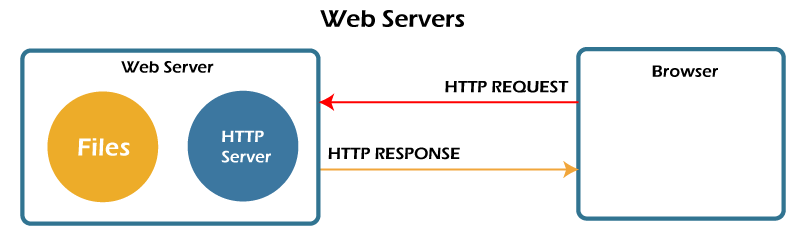
The webserver is part of the computer which stores some files such as HTML document files, CSS (Cascading Style Sheets) and JavaScript files, etc. Also, the web server is connected to the internet for getting and sending all kinds of files. Moreover, the web server is a combination of hardware and software which is used hypertext transfer protocol(HTTP) and other kinds of protocols but HTTP is the primary type of protocol for web servers. Furthermore, a web server is used to run a website very nicely. Web server is a client-server model example. If we need to run our website so the web server is very helpful to keep information on the server.
How does it work🤷♀️?
As a simple way, the browser sends a request to the web server via an HTTP file and the web server accepts the request then according to the request, it finds the document or information from the internet. After getting the result, the web server gives a response to the browser to explore the result.
Types of Webserver
Static web server:
In this server, it directly goes into the browser without any kinds of changes. It means it shows the same information on the browser through the webserver.
Dynamic server:
This server, consist static web server as well as any extra software such as an application and database to give information to the browser. So in short information is not the same because the application keeps updating the system before sending it.
What is HTML?🧐
HTML stands for Hypertext markup language. HTML is used to create a beautiful webpage of a website. HTML consists of tags and elements. HTML describes the structure of web pages. Also, elements play a vital role to display content on the browser. Moreover, It has two extensions HTM and HTML. In addition to that, using HTML you can define different kinds of elements such as headings, paragraphs, images, etc. In HTML, we need to keep the first page as index.html or default.html. But the most important thing is, we need to keep the first page as index.html because it works in all kinds of browsers rather than default.html.
There are lots of elements in HTML, but we are just focusing on basic HTML elements which are commonly used in our creative website. HTML needs to start and end tags between these two tag so we can write our content.
**Formatting tags:
Heading:
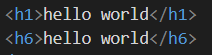
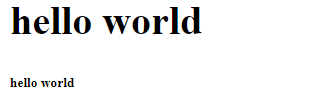
This is used to show in the heading part. There are six heading tags such as h1 to h6.The first tag is h1 which is the most important and h6 which is the least important tag.
Output:
Paragraph:
This is used to write a paragraph on our website. In this paragraph, we can use the lorem word inside the p tag. For example, if we need 10 words in our paragraph so it automatically generates 10 words.

output:

images:
This tag is used to show images on a webpage. It has many attributes but we are focusing on common attributes such as src, alt, height, width, etc.
src: It helps to put a URL or path.
alt: It helps to see if our image is on a website or not properly. For example, you can write as a message this is a baby image. When you run the code or there might be a mistake so you can get an idea about a particular image name.
Height and width: We can give the height and width of the image.

output:

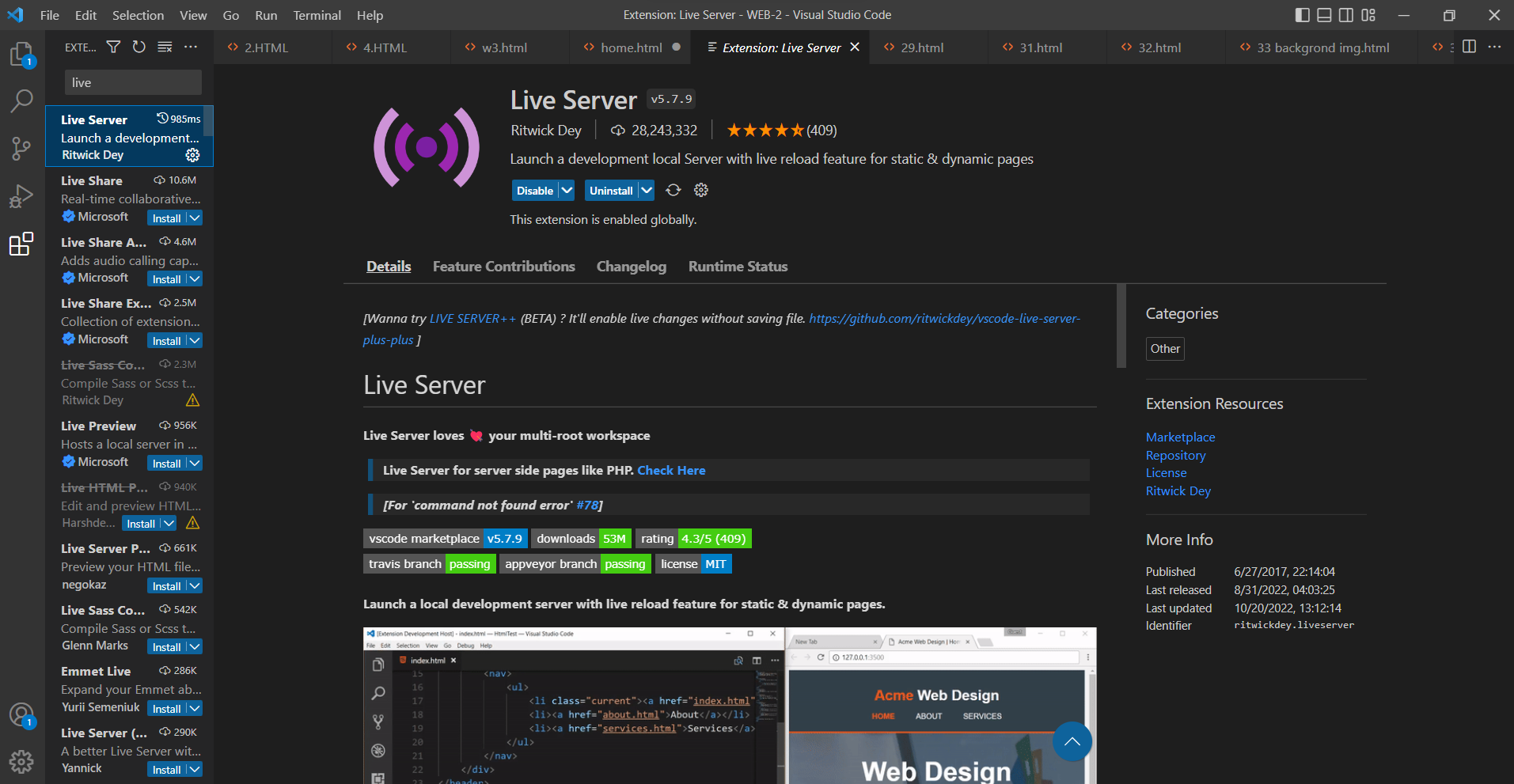
Live server extension in visual code:
Well there are many codes editors are available such as Notepad++, Sublime text, Atom, Ultra edit and etc. In this article, we focus also on run our code via visual code editor because it plays very important role to make our website.
In this visual code editor, we can use the live server extension from the visual code and choose the extension option to get the live server. Click on it and enable the live server extension option. Well, which is very helpful to see your website side by side or in a single way as well. you can use the GO liver server option on the bottom. So every time you do not need to change your windows screen.
output: